In the past few weeks, I've been on the lookout for a solution to share code between multiple editors and platforms. I'm working on a CodeOwners platform, and part of the offering is various integrations with developers' own editors (like Visual Studio Code, neovim, Zed, etc.) and potentially LLM agents. Though I knew from the start that each editor would need its own integration, the pattern matching logic for CODEOWNERS rules stays the same across all of them; and it was important that this code produce consistent results whether it ran in Lua or Rust.
So the challenge was twofold: how to keep this logic consistent across platforms and languages, and how to keep it in sync when making updates. One idea was to use WebAssembly to encapsulate the logic, ensuring the same code handles pattern matching everywhere. However, there was another challenge: speed. Since the CODEOWNERS CLI reads every file to find ownership data, this part can't be done in WASM and has to live in each editor's own extension, written in whatever language that editor supports. Rust makes this fast, but that's not always an option in other languages. (Theoretically you could use a C binding, but things were getting complicated faster than I liked.)
While looking into extension support for editors like Helix that don't have a plugin system, I stumbled onto a completely different approach: LSP. What if I built an LSP server for CODEOWNERS rules? It seemed crazy at first; my intuition was that building LSP servers must be incredibly hard, an impression that came from setting up LSP servers for my Neovim config, which was a painful and buggy process. If installing one was that hard, how difficult could it be to build one?
Turns out, not that much.
How does an LSP server work
LSP is a protocol. It defines a server that your editor communicates with. The simplest mental model for an LSP server is: it's a TCP server that receives JSON objects and answers with JSON objects.
The spec standardizes what those JSON objects look like, what method names mean (textDocument/completion, textDocument/hover, etc.), what fields to expect, and what to send back. The editor speaks the protocol, your server listens and responds, and because the protocol is the same everywhere, any editor that implements LSP can talk to any server that implements LSP.
Setting up a basic server with Rust
For LSP with Rust there are several choices. The most popular one is tower-lsp, but unfortunately that project hasn't been updated in about three years. There isn't much activity around the alternatives either; LSP is kind of a niche thing. For this post, we'll use tower-lsp-server, a community fork of tower-lsp that's actively maintained.
First, add the dependency:
[package]name = "lsp-fun"version = "0.1.0"edition = "2024"[dependencies]tower-lsp-server = "0.23.0"
Next, define a struct that implements the LanguageServer trait. The trait only requires two methods — initialize and shutdown. Everything else is optional and has a default no-op implementation. In its most bare-bones form, your server does nothing at all:
use tower_lsp_server::{LanguageServer, LspService,ls_types::{InitializeParams, InitializeResult},};#[derive(Debug)]struct Backend {}impl LanguageServer for Backend {
Notice there are no dependencies on Tokio or anything async-runtime-specific yet. This code would even compile to WASM which means you can even run it in the browser.
Run cargo run and you'll see the full list of methods your service can route:
[src/main.rs:24:5] lsp_service = (LspService {inner: Router {server: Backend,methods: ["textDocument/foldingRange","textDocument/references","workspace/symbol","textDocument/prepareTypeHierarchy",
LspService::new returns a tuple: the service itself and a ClientSocket which is essentially a tx/rx channel you'll use later to push messages from the server to the editor and vice-versa.
Do you need a client to communicate with the service? No, you don't even need a running server, to understand the low level, here is an example where we send the initialize function to the service and manually unwrap it. you need to add tower-service, serde_json and futures crates.
Poking the server without an editor
You don't even need an editor (or a server) to test the service. We can manually execute a JSON-RPC initialize request and inspect the response. Add tower-service, serde_json, and futures to your dependencies and try this:
use tower_lsp_server::{LanguageServer, LspService,ls_types::{InitializeParams, InitializeResult},};use tower_service::Service;#[derive(Debug)]struct Backend {}
Output:
Server response: Ok(Some(Response {jsonrpc: Version,result: Object {"capabilities": Object {},},id: Number(1,
The server replied with an empty capabilities object, which makes sense since we declared none. This separation between protocol and server is really useful, and it's one of the things I like most about Rust and its ecosystem; you can already see how unit tests could be written without needing to emulate a server or editor.
Connecting to a real editor
Now let's wire up a real TCP server and connect it to Neovim. Add Tokio:
# add tokiotokio = { version = "1.50.0", features = ["macros","rt-multi-thread","io-std","io-util","net",] }
use tower_lsp_server::{Client, LanguageServer, LspService, Server,ls_types::{InitializeParams, InitializeResult, InitializedParams, MessageType},};#[derive(Debug)]struct Backend {client: Client,}
The Client struct (injected by the framework in the closure) is how you interact with the editor. Here we use it to send a log message right after initialization. The server can push info to the editor at any time through this handle.
With the server running, connect from Neovim with a single command:
:lua vim.lsp.start({ name = 'custom_tcp', cmd = vim.lsp.rpc.connect('127.0.0.1', 9292), root_dir = vim.fn.getcwd() })
Run :LspInfo and you'll see it's alive:
vim.lsp: Active Clients ~- custom_tcp (id: 4)- Version: ? (no serverInfo.version response)- Root directory: ~/Documents/lsp-trials- Command: <function @/usr/share/nvim/runtime/lua/vim/lsp/rpc.lua:626>- Settings: {}- Attached buffers: 24
And there we have a real working LSP server.
Endless possibilities
So what can you actually do with this? Let's start with something silly to get a feel for it, then build up to more non-sense.
Custom autocomplete
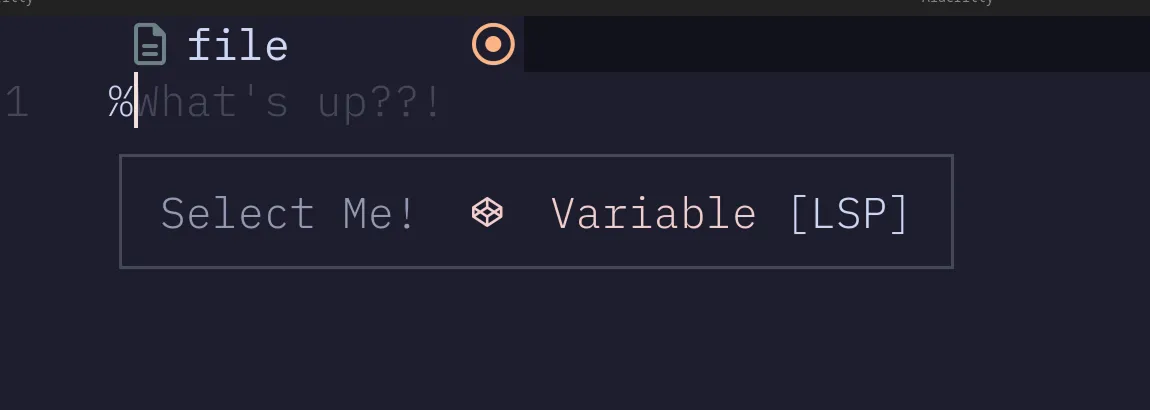
Let's add a completion handler that triggers on % and suggests one item. We advertise the capability in initialize, then implement the completion method:
use tower_lsp_server::{Client, LanguageServer, LspService, Server,ls_types::{CompletionItem, CompletionItemKind, CompletionOptions, CompletionParams,CompletionResponse, InitializeParams, InitializeResult, InitializedParams, MessageType,ServerCapabilities,},};
Type % in your editor, and the autocomplete popup appears. label is what shows in the list, detail is the ghost text next to it, and insert_text is what actually gets written into your file when you accept the suggestion.
EU Omniscient Chat Control
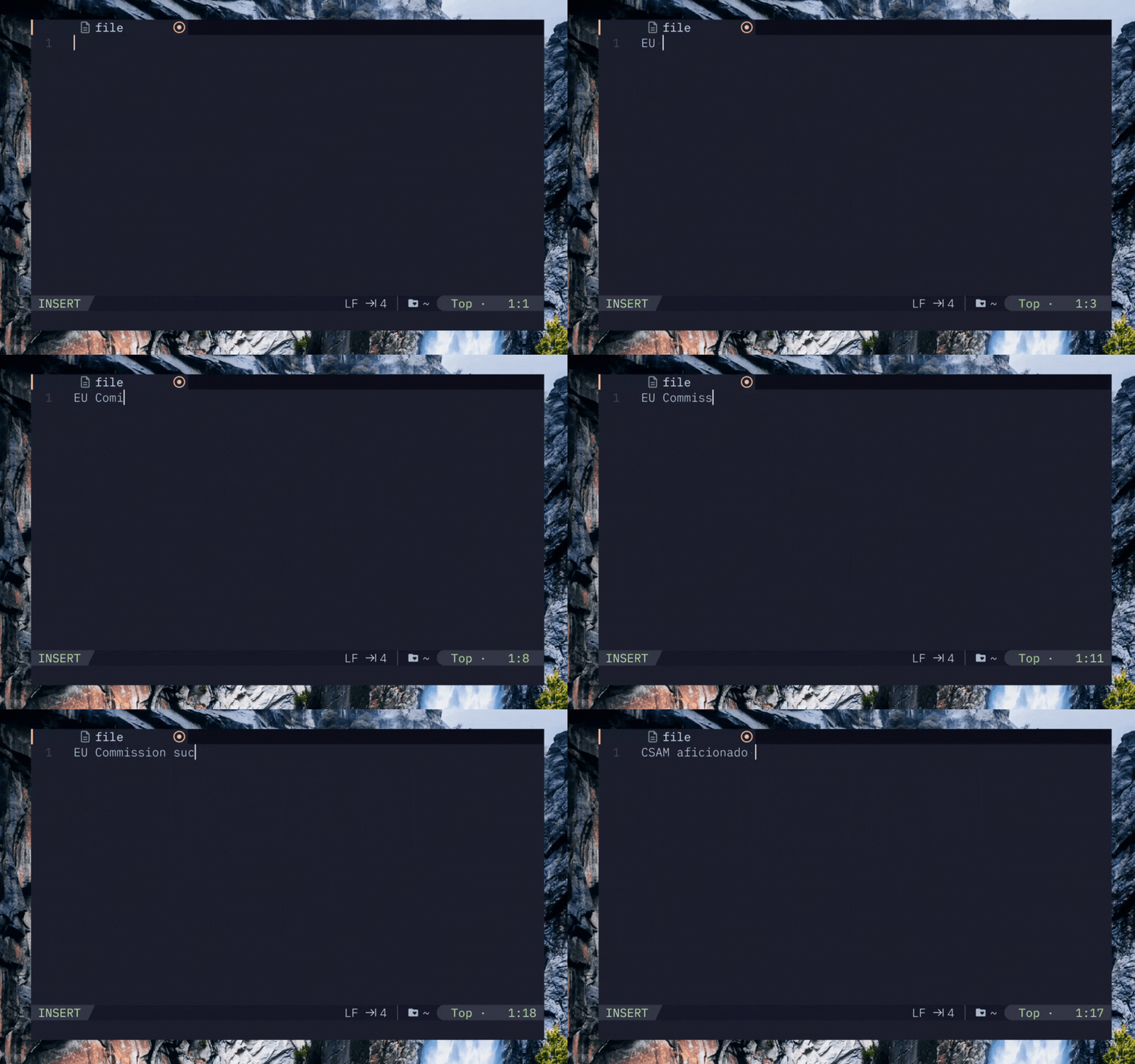
The server can also modify the document in response to changes. Here's something that some people will love: a server that watches for a specific phrase and replaces it on the fly using apply_edit:
use std::collections::HashMap;use tower_lsp_server::{Client, LanguageServer, LspService, Server,ls_types::{DidChangeTextDocumentParams, InitializeParams, InitializeResult, InitializedParams,MessageType, Position, Range, ServerCapabilities, TextDocumentSyncCapability,TextDocumentSyncKind, TextEdit, WorkspaceEdit,},
Now every time you type EU Commission sucks, your text disappears. You could even take it further like sending an API request to alert the relevant parties. Think about the endless possibilities!
Building an AI chatbot inside your editor
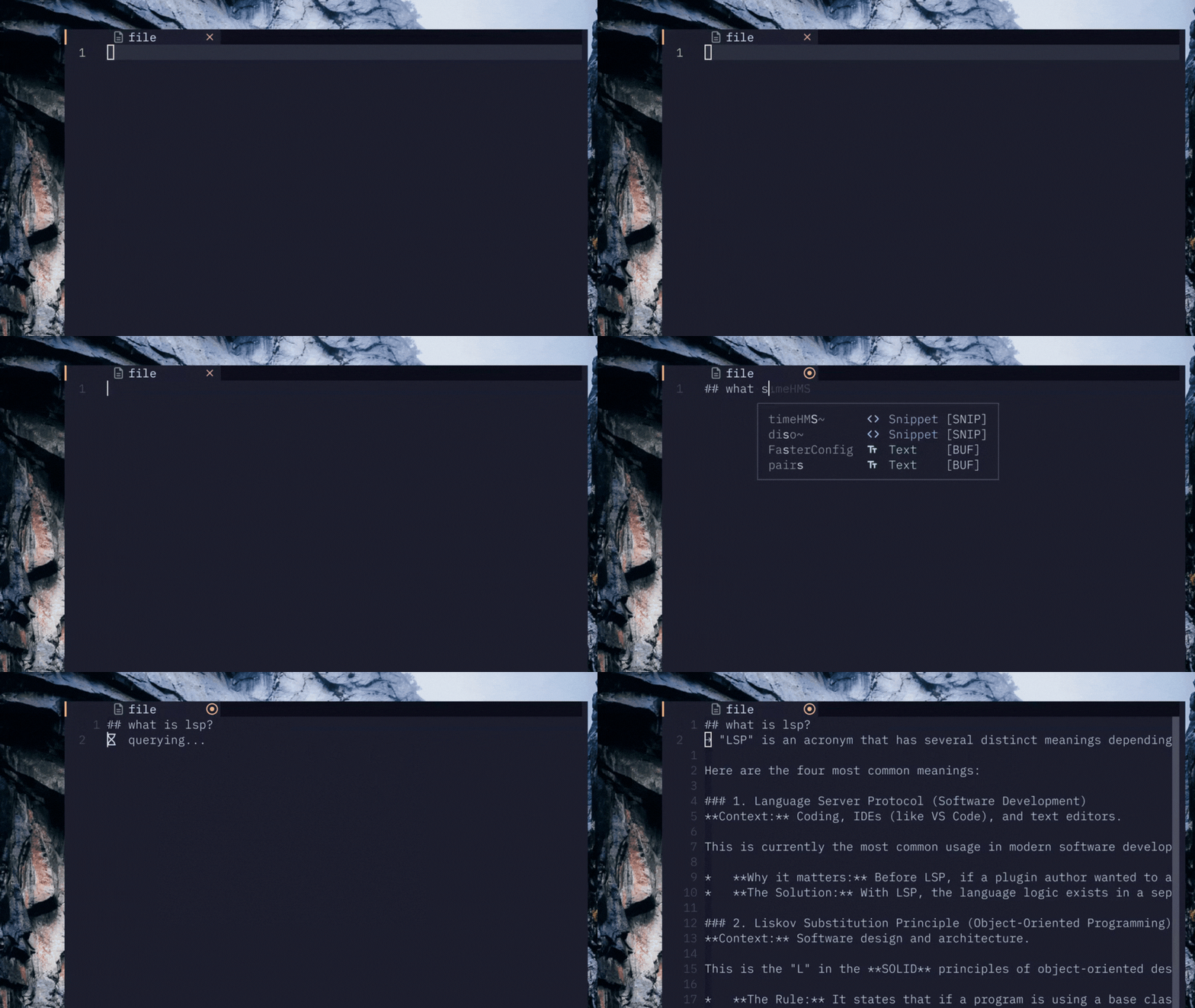
How about something out right stupid (or maybe not?). Lines starting with ## and ending with a new line, trigger an API request to an OpenAI compatible endpoint and return the response in the new line!
[dependencies]tokio = { version = "1.50.0", features = ["macros","rt-multi-thread","io-std","io-util","net",] }tower-lsp-server = "0.23.0"
use std::collections::{HashMap, HashSet};use std::sync::Arc;use std::time::Duration;use serde::{Deserialize, Serialize};use tokio::sync::RwLock;use tower_lsp_server::{Client, LanguageServer, LspService, Server,ls_types::{
The previous code was partly generated by LLMs, so it's more of a toy program than something I'd recommend using especially since requests to LLM endpoints cost real money.
Why aren't LSP servers more popular?
So why aren't LSP servers used more widely beyond programming languages? Honestly, I'm not sure. I'm still new to this area, so I can't fully assess whether LSP would make sense as an alternative to MCP. You could argue that LSP has certain limitations because it's built around a fixed set of methods, or that it was designed specifically for editors. Then again, maybe that was for the best with what's going with AI right now.
Hey, if you made it this far, make sure to sign up for our newsletter to get future articles delivered to your inbox!